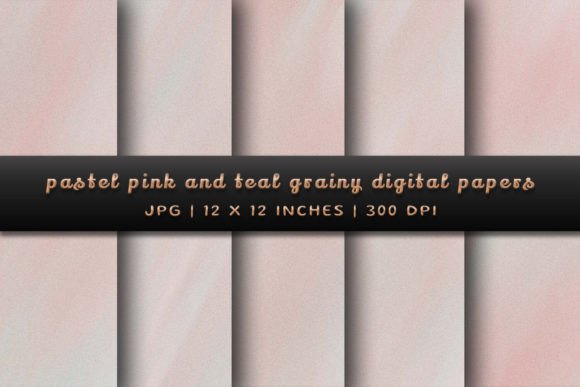
Elevate Your Projects with Pastel Pink and Teal Grainy Backgrounds
This set isn't just about color; it's about character. The Pastel Pink and Teal Grainy Backgrounds combine a soft, blush pink with a serene, muted teal. These aren't loud, competing colors. They exist in a harmonious balance, creating a palette that feels both calming and contemporary. The grainy texture is the critical third element. It introduces a subtle, organic noise that mimics the look of fine art paper, aged parchment, or even a soft, sandy surface. This texture absorbs light in a way that smooth digital surfaces cannot, adding a layer of sophistication and handcrafted appeal to any design it touches. The overall personality is one of quiet confidence—modern yet timeless, playful yet professional.
Where This Texture Truly Shines
Understanding the visual personality of these backgrounds is the first step. The next is knowing where to deploy them for maximum effect. Their strength lies in their versatility and ability to enhance without overwhelming. Think of them as a foundational design asset rather than a mere decorative element.
In brand identity work, these backgrounds can become a signature element. Imagine them behind a logo lockup on a business card or as the consistent backdrop for all social media content. They lend a cohesive, recognizable look that feels more substantial than a simple color fill. For entrepreneurs and small business owners, particularly in lifestyle, wellness, beauty, or artisanal goods, this texture communicates care, quality, and a distinct aesthetic point of view.
For marketing and publishing, the applications are immediate. Use them as the canvas for quote graphics, promotional banners, or chapter title pages in a digital magazine. The grain ensures text remains highly readable against the color, avoiding the glare that can come from pure white or overly saturated backgrounds. In editorial design, they can set the tone for a feature spread, providing a soft, inviting visual break. For packaging design, applying these as a pattern or a background panel on labels or box interiors can elevate the unboxing experience, making the product feel more curated and premium.
Digital creators will find them indispensable for web design hero sections, email newsletter headers, and podcast cover art. They provide visual interest that loads quickly as a JPG. For crafters and hobbyists using sublimation, these are ideal. The 12x12 inch, 300 DPI specifications make them perfect for printing onto mugs, tiles, notebooks, and apparel, where the texture translates beautifully onto physical substrates.
Making It Work: Practical Integration Tips
Evaluating Fit: Before applying the Pastel Pink and Teal Grainy Backgrounds, consider your project's core message. Is it aiming for warmth, approachability, and subtle elegance? If so, you're on the right track. If the project demands stark minimalism or high-energy vibrancy, a different asset might be more suitable. The texture's personality should align with the brand's voice.
Font Pairing is Crucial: This is where many designers can make or break the integration. A textured background has its own visual rhythm. Your typography needs to complement it, not fight it. Avoid overly complex script fonts or handwritten fonts with very thin strokes, as they can get lost in the grain. Instead, opt for clean, well-structured typefaces. A sturdy sans serif font for body text and a complementary serif font for headlines often works beautifully. The contrast between the organic texture and the precise letterforms creates a dynamic and professional hierarchy. Always test your text overlay at various sizes to ensure legibility.
Leveraging the Specs: The included files are high-resolution JPGs. This means you have flexibility. In graphic design software like Adobe Photoshop or Illustrator, you can easily adjust the hue or saturation slightly to better match your exact brand colors if needed. You can also overlay them with other design elements, using blend modes like "Multiply" or "Overlay" to create even more unique effects. For sublimation, the 300 DPI resolution ensures your printed projects will look crisp and professional, with the grain texture adding that desirable tactile quality.